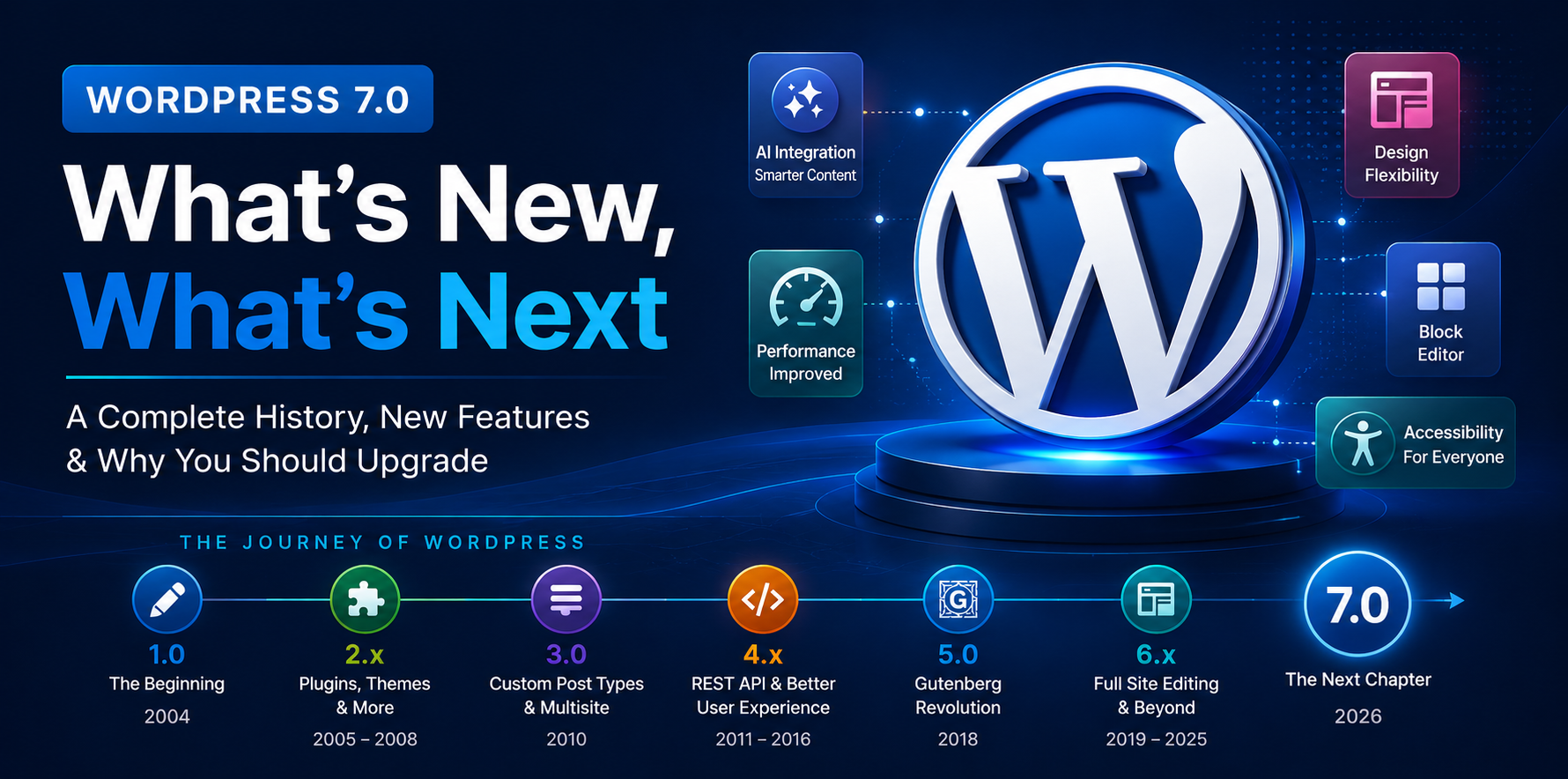
WordPress has grown from a simple blogging platform into the world’s most popular content management system (CMS), powering over 40% of all websites on the internet. Over the years, WordPress has evolved through significant milestones, from the introduction of custom post types and the REST API to the revolutionary Gutenberg Block Editor and Full Site Editing experience. Now, WordPress 7.0 marks another important step forward, bringing enhanced AI integration, improved design flexibility, better performance, and a more refined block editing experience. In this article, we’ll take a journey through the history of WordPress, explore the key features introduced in its most important versions, discover what’s new in WordPress 7.0, and discuss why upgrading to the latest version can benefit your website.
Table of Contents:
- The Evolution of WordPress
- Major Milestones in WordPress History
- What’s New in WordPress 7.0
- Why Upgrade to WordPress 7.0?
- Tips Before Upgrading to WordPress 7.0
- Conclusion
1 – The Evolution of WordPress
When WordPress was first released on May 27, 2003 by its co-founders Matt Mullenweg and Mike Little, it was designed primarily as a simple blogging platform. Its goal was to make publishing content on the web easy, even for users without technical knowledge. Over time, WordPress evolved far beyond blogging to become a powerful, flexible, and open-source Content Management System (CMS) trusted by individuals, businesses, educational institutions, and government organizations worldwide.
The continuous evolution of WordPress has been driven by its active open-source community, which includes thousands of developers, designers, contributors, and volunteers. With every major release, WordPress has introduced new features that improve usability, performance, security, accessibility, and developer experience. From themes and plugins to custom post types, the REST API, the Gutenberg Block Editor, and Full Site Editing, AI connectors each innovation has expanded what users can build without relying heavily on third-party tools.
Today, WordPress supporting everything from personal blogs and business websites to eCommerce stores, membership platforms, online learning systems, and enterprise applications. Its flexibility, extensive ecosystem of themes and plugins, and commitment to backward compatibility have made it the preferred CMS for millions of users around the world.
To better understand how WordPress became the platform it is today, let’s take a look at the major milestones and features introduced throughout its evolution.
2 – Major Milestones in WordPress History
Since beginning, WordPress has continuously evolved to meet the changing needs of website owners, developers, and businesses. Each major release introduced innovative features that expanded WordPress beyond a simple blogging platform into a powerful and versatile Content Management System (CMS). Let’s explore the most significant WordPress releases and the features that transformed the platform over the years.
2.1 – WordPress 1.0 – The Beginning (Davis – January 3, 2004)
- WordPress 1.0 was the first stable public release.
- It was created as a fork of the b2/cafelog blogging software after its development stopped.
- It focused on making blogging simple, fast, and accessible.
- It introduced features such as:
- User-friendly administration panel
- Multiple categories
- Search engine-friendly permalinks
- Comment moderation
- Installation and upgrade improvements
Although WordPress 1.0 was primarily designed for bloggers, its open-source nature and ease of customization attracted developers around the world. This first stable release established the foundation for a platform that would continue to evolve with every major version, eventually becoming a complete Content Management System capable of powering websites of every size.
2.2 – WordPress 2.x – Building the Foundation (Duke – December 31, 2005)
Some of the most significant milestones introduced throughout the WordPress 2.x series include:
- A redesigned admin dashboard with a cleaner and more intuitive user interface.
- The TinyMCE Visual Editor, allowing users to create and format content without writing HTML.
- Built-in widgets, enabling drag-and-drop customization of sidebars.
- Native tag support, making it easier to organize content alongside categories.
- Improved media management for uploading and managing images.
- Post revisions and autosave, helping users recover content and reduce the risk of losing their work.
- One-click plugin installation and updates, simplifying the process of extending website functionality.
The WordPress 2.x era transformed the overall user experience and established the foundation for many of the advanced features introduced in later WordPress releases.
2.3 – WordPress 3.0 – Multisite Network (Thelonious – June 17, 2010)
- Introduced the Multisite feature.
- Allowed multiple websites to run from a single WordPress installation.
- Developers could create custom content types such as Portfolio, Events, etc.
- Developers could create their own categories, such as Event Types, Course Categories, etc.
- Users could build navigation menus using a drag-and-drop interface instead of editing theme files.
- Introduced Twenty Ten, the first default theme designed to showcase modern WordPress capabilities.
- Encouraged better theme development practices.
WordPress 3.0 was a turning point in the WordPress history. With the introduction of Custom Post Types, Custom Taxonomies, Multisite, and Custom Menus, WordPress evolved beyond blogging into a flexible CMS capable of powering business websites, portfolios, directories, eCommerce stores, and many other types of web applications.
2.4 – WordPress 4.x – REST API (Benny – September 4, 2014)
The WordPress 4.x era focused on improving the user experience, expanding developer capabilities, and preparing WordPress for the future of modern web development.
The 4.x series greatly enhanced the Theme Customizer, allowing users to preview changes before publishing such as Site Logo, Header and background customization, etc.
WordPress introduced the REST API into core (beginning in WordPress 4.4), allowing developers to interact with WordPress data through JSON endpoints.
The introduction of the REST API transformed WordPress into an application framework, enabling developers to build headless websites, mobile apps, and modern JavaScript-powered applications.
The WordPress 4.x era focused on refining the overall user experience while laying the technical foundation for the future of WordPress.
2.5 – WordPress 5.0 – Gutenberg Block Editor (Bebo – December 6, 2018)
WordPress 5.0 is one of the most significant releases in WordPress history because it introduced the Gutenberg Block Editor, fundamentally changing how users create and manage content.
WordPress replaced the Classic Editor with the new Gutenberg Block Editor, introducing a block-based approach to content creation. Instead of writing everything in a single text area, users could build pages using individual blocks for paragraphs, headings, images, galleries, videos, buttons, columns, quotes, and more.
For developers, Gutenberg introduced a modern JavaScript-based block development framework using React, allowing them to build custom blocks that provide richer editing experiences.
WordPress provided compatibility through the Classic Editor plugin, allowing websites to continue using the previous editing experience during the transition.
WordPress 5.0 marked one of the biggest transformations in the platform’s history. By introducing the Gutenberg Block Editor, WordPress moved from a traditional content editor to a modern, block-based editing experience.
2.6 – WordPress 6.x – Full Site Editing (Arturo – May 24, 2022)
The WordPress 6.x era was all about expanding Gutenberg into a complete website-building experience. While WordPress 5.0 introduced the Block Editor, WordPress 6.x matured that vision with Full Site Editing, better design tools, improved performance, and a stronger developer experience.
Full Site Editing allows users to customize almost every part of their website using blocks, including Header, Footer, Templates, Template parts, Archive pages, etc.
WordPress introduced and improved Block Themes, which are built entirely around the block editor.
Users can change site-wide design settings like Colors, Fonts, Spacing, Layout, Buttons from one place.
Patterns allow users to insert pre-designed sections like Hero, Call-to-action, Testimonials, FAQs, etc.
By introducing Full Site Editing, Block Themes, the Site Editor, and powerful design tools, WordPress evolved into a complete visual website-building platform.
3 – What’s new in WordPress 7.0
WordPress 7.0 builds on the strong foundation established by the Block Editor and Full Site Editing, introducing a range of improvements that make website creation faster, more intuitive, and more flexible.
Whether you’re a content creator, designer, developer, or business owner, WordPress 7.0 offers meaningful enhancements that simplify website management while preparing the platform for the future of web development. Let’s take a closer look at some of the most significant features introduced in this release.
3.1 – A Dedicated Canvas for Your Menu
WordPress 7.0 introduces a dedicated canvas for editing navigation menus, making it easier than ever to create and manage your site’s navigation. With this improved editing experience, you can easily add new menu items, rearrange them using drag-and-drop, create multi-level navigation, and preview the overall menu structure more clearly.
3.2 – AI Foundations
One of the most forward-looking additions in WordPress 7.0 is the introduction of AI Foundations, a new framework designed to make artificial intelligence integrations more consistent and easier to implement.
With AI Foundations, developers no longer need to build separate integration methods for each AI provider. Instead, they can use a common framework to connect their plugins with supported AI services, reducing development complexity and improving compatibility across the WordPress ecosystem.
3.3 – Visual Revisions
WordPress 7.0 introduces Visual Revisions, making it easier to review and restore previous versions of your content. In earlier versions, the revisions screen primarily displayed text-based differences but now you can review revision history with a timeline slider and see exactly what changed in the document with visual makers, block by block.
3.4 – Patterns as Single Blocks
WordPress 7.0 improves the editing experience by allowing patterns to behave as a single block. In previous versions, when you inserted a pattern, all of its individual blocks were immediately visible in the List View, making it more difficult to select, move, or manage the entire pattern as one unit. With this update, a pattern is treated as a single block by default, creating a cleaner and more organized editing experience.
4 – Why Upgrade to WordPress 7.0?
WordPress 7.0 is more than just a routine update—it represents another step forward in making WordPress faster, more intuitive, and better prepared for the future of web development. With improvements such as AI Foundations, Visual Revisions, Patterns as Single Blocks, and a dedicated canvas for navigation menus, the platform offers a more streamlined and productive experience for content creators, designers, and developers alike.
Upgrading to WordPress 7.0 also provides important performance, accessibility, and security enhancements that contribute to a faster and more reliable website. These improvements can enhance the editing experience, improve site management, and help ensure compatibility with the latest themes, plugins, and modern development practices.
5 – Tips Before Upgrading to WordPress 7.0
Before upgrading to WordPress 7.0, it’s important to take a few precautionary steps to ensure a smooth and trouble-free update. Following these best practices can help minimize the risk of downtime or unexpected issues after the upgrade.
- Create a complete website backup: Back up both your website files and database so you can quickly restore your site if anything goes wrong during the update.
- Update themes and plugins: Install the latest versions of your active theme and plugins, as developers often release compatibility updates before a major WordPress release.
- Check plugin compatibility: Review the compatibility status of essential plugins to ensure they support WordPress 7.0.
- Test on a staging site: If your website is live, perform the upgrade on a staging environment first to identify and resolve any issues before updating your production site.
- Verify your PHP version: Make sure your hosting environment is running a supported PHP version recommended for WordPress 7.0 to achieve the best performance and security.
- Clear your website cache: After the upgrade, clear your browser cache, caching plugins, and CDN cache (if applicable) to ensure you’re viewing the latest version of your website.
- Test your website: Once the update is complete, review key pages, forms, navigation menus, contact forms, WooCommerce functionality (if applicable), and other critical features to confirm everything is working as expected.
6 – Conclusion
From its humble beginnings as a blogging platform in 2003 to becoming the world’s most popular Content Management System, WordPress has continuously evolved to meet the changing needs of website owners, developers, and businesses.
Whether you’re a blogger, business owner, developer, or agency, upgrading to WordPress 7.0 allows you to take advantage of the latest improvements while preparing your website for future innovations.
If you like this article, then you can write your words in the comments section. Or if you have issue after upgrading to WordPress 7.0 then don’t hesitate to reach out us. Not least but last, you can also follow us on X.com.